One-click Templates are a quick way to reload previous order configurations and apply multiple actions with a click of a button or a global keyboard hotkey.
In order to add a template, prepare your order in the corresponding form and click the OCT button.
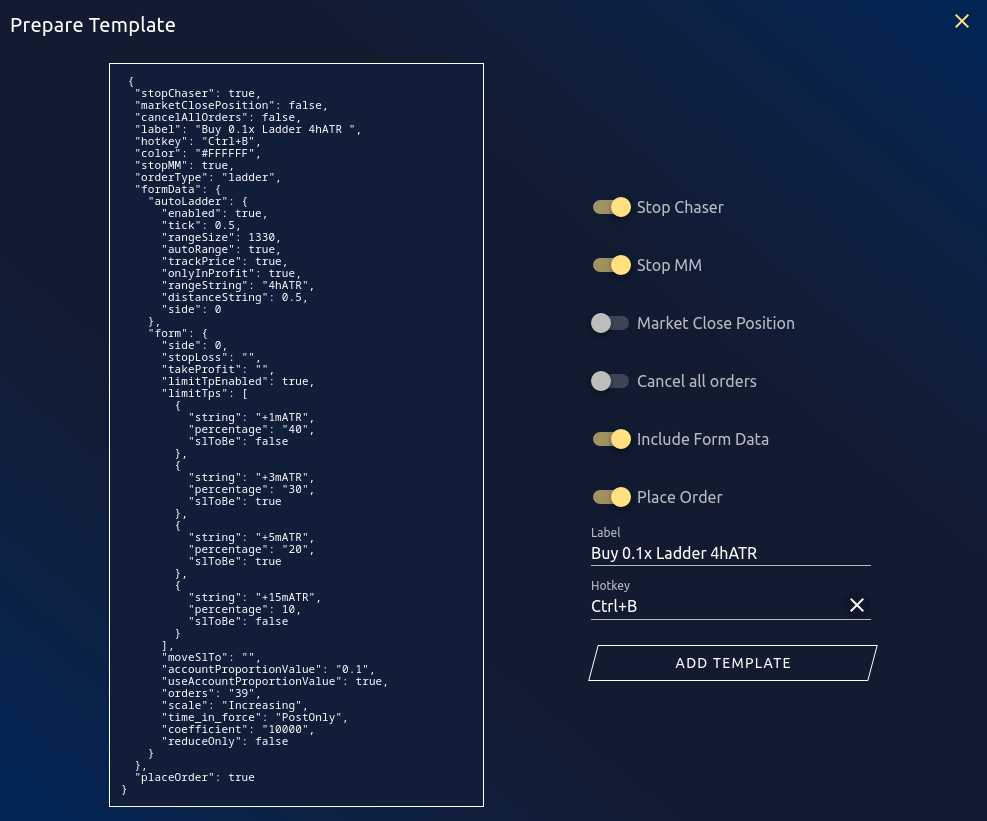
¶ Settings
| Stop Chaser | Stops chaser |
| Stop MM | Stops MM |
| Market close position | Market closes current position if open |
| Cancel all orders | Cancels all open orders (except conditional orders), similar to clicking on “Cancel All” |
| Include form data | Adds the current form data to the OCT, will fill the form with this data when OCT is triggered |
| Place Order | Places order after filling form data and calculating prices |
| Label | Text displayed on the button in the OCT panel |
| Hotkey | Hotkey used to call the actions. The same hotkey can be shared across windows. |
Actions will be realized from top to bottom, depending on their status.